Biometric Border Control Basics
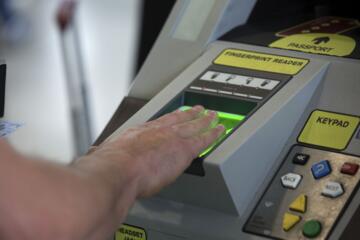
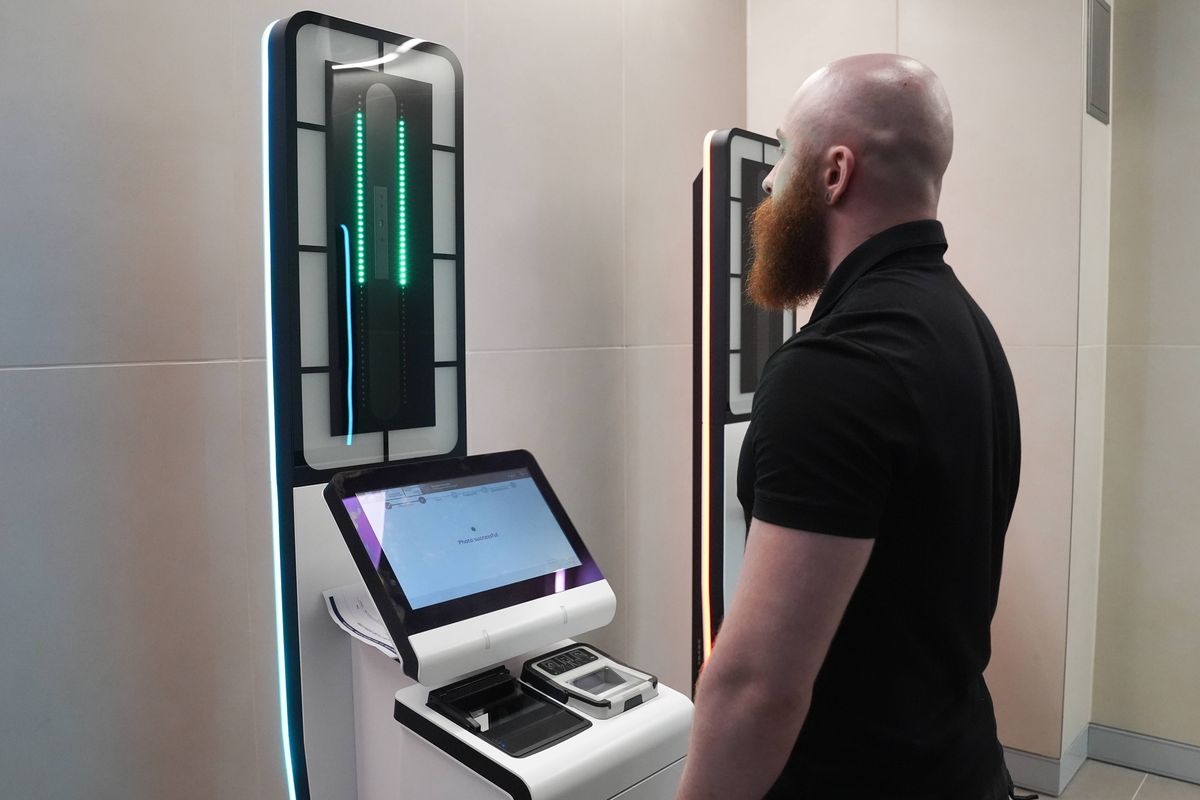
Biometric border control in the EU uses automated checks at passport control to compare your travel document and face image against the data stored in the document’s chip and border systems. Most airports use eGates for eligible travelers, while staff desks handle cases that require manual review. The process typically starts with a passport scan, then a face capture at the gate camera, followed by a decision to pass, stop for further checks, or route you to staff.
On your first EU flight, the main difference from older “stamp-and-walk-through” routines is that the system reads more than the visible passport details. The machine checks security features and the chip data, then performs a face comparison. If you wear glasses, have facial hair, or recently changed your hairstyle, the camera still captures your current face; the match quality depends on how closely your current appearance aligns with the image stored in your document.
Practical example: at an eGate, you place your passport on the reader, wait for the prompt, then look straight at the camera. If the gate asks you to remove bulky items from your face area, it is usually because the face recognition model performs worse with masks, scarves, or hats that cover key facial landmarks. The gate may also reject low-quality scans when the passport is angled or the chip cannot be read.
Common Pain Points And Errors
Travelers often assume the gate is “just a faster passport scan,” then get surprised when the face capture step becomes the bottleneck. A frequent mistake is approaching the camera too quickly or looking away while the system is capturing an image. Another is holding the passport at an angle; chip reading can fail when the passport is not positioned correctly on the reader.
People also misread the role of staff. An eGate decision to stop does not mean you did something wrong; it often means the system needs a human to verify identity, document validity, or travel authorization status. The supporting technologies include the passport’s embedded chip (for machine-readable data), face capture cameras, and border control software that compares the live image with the stored reference. Some airports add additional checks such as document verification sensors and risk-based screening that can route you to secondary inspection.
Another pain point is document mismatch. If your passport has been renewed recently, but your travel plans or prior records reference a different document number, staff may need extra time to reconcile the identity link. This is more noticeable when you travel with connecting flights or when you changed your name and the passport photo does not reflect the same appearance as earlier records.
Finally, travelers sometimes arrive at the gate without checking eligibility. eGates are not available for every passenger category, and some airports restrict access based on age, document type, or travel purpose. If you are unsure, the fastest path is to follow the signage and ask staff early rather than waiting at the wrong queue.
How To Prepare And Pass
Before You Leave Home
Confirm your passport validity and that it matches the name and date of birth used in your booking. If you recently changed your appearance, consider whether your passport photo still resembles you; face matching can degrade when facial features differ significantly. If your passport is damaged, has a cracked cover, or the chip area is worn, scanning may fail and you will be routed to staff.
Check your travel authorization requirements for your nationality and route. For short stays, some travelers need an ETIAS authorization in the future, while others already have visa-free entry; the exact rule depends on your passport and purpose of travel. If you have a visa or residence permit, carry the supporting documents you were instructed to bring, since staff may ask for them during secondary checks.
As a small aside from airport workflows: many travelers find it helps to keep the passport in an easy-access pocket so you can place it flat on the reader without fumbling. On one recent airport information page I reviewed (version date shown as 2024-05 on the PDF footer), the guidance emphasized correct placement and removing items that obstruct the face capture camera.
At The eGate Or Desk
Follow the on-screen prompts in the local language and English. Place the passport on the reader exactly where the guide indicates, then wait for the confirmation tone or message before moving. Look straight at the camera when prompted and remove items that cover your face area if signage or staff instructs you to do so.
If the gate rejects you, do not repeat the same action rapidly. Wait for the instruction to proceed to staff or to re-scan after the system resets. When you reach the desk, keep your passport ready and answer questions consistently with your travel documents. Staff may ask about your address, purpose of visit, or length of stay; having the booking details and first-night accommodation address written down can reduce delays.
When a scan fails, the most common causes are glare on the passport cover, incorrect passport placement, camera obstruction, or a face image that does not match well. A mild frustration point: the gate often gives limited feedback, so you may need to correct the physical setup rather than “fixing” your identity.
If You Get Routed To Secondary
Secondary inspection usually means additional verification rather than a refusal. Expect staff to check the passport chip data, confirm identity details, and sometimes review travel authorization or entry conditions. If you have a connecting flight, staff may also verify your onward itinerary.
Bring the documents you used during check-in and any documents required by your entry status. If you are traveling with minors, keep their passports accessible and ensure they can follow face capture instructions. If you wear a head covering for religious reasons, follow staff instructions; the process may still work, but the camera capture needs a clear view of facial features as required by the system’s capture rules.
Realistic outcome: secondary checks often add time, and the delay can range from a few minutes to longer periods during peak hours. Planning a buffer for immigration queues reduces stress, especially at large hubs where multiple eGate banks feed into the same staff desks.
After Landing And During Your Stay
Keep a record of your entry date and any reference numbers from border control if you receive them. If you later need to correct a travel document detail due to an error, having your entry record helps. If you are asked to complete an additional form, do it promptly and keep a copy.
For health-related travel planning, remember that border control is separate from medical checks. If you are traveling with medical documents, carry them in your hand luggage in case staff ask about medications or special circumstances. The border process focuses on identity and entry conditions, not on health screening unless a specific public health measure applies at that time.
Educational Case Examples
Scenario 1: A traveler arrives at an eGate with a passport that has a slightly bent corner. The gate reads the passport slowly, then stops and routes them to staff. At the desk, the officer checks the chip data and asks the traveler to confirm the travel purpose and first accommodation address. The traveler passes after the manual verification because the identity details match, but the bent corner likely reduced scan reliability.
Scenario 2: A traveler’s passport photo looks different due to a recent haircut and facial hair. The eGate captures the face image but returns a “stop” decision. Staff compare the live image with the stored reference and review the travel documents. The traveler is admitted after the officer confirms the identity match, which took longer than a typical eGate pass because the face similarity score was lower.
Checklist And Decision Support
| Situation | What To Do First | What To Avoid | Likely Outcome |
|---|---|---|---|
| eGate scan fails | Reposition the passport flat on the reader and follow the prompt | Holding the passport at an angle or rushing the face capture step | Routing to staff for manual verification |
| Face capture mismatch | Remove items that obstruct the face and look straight at the camera | Turning your head or covering facial landmarks | Staff review with chip and identity checks |
| Wrong queue | Follow signage or ask staff which lane matches your document | Waiting at an eGate lane that does not accept your category | Faster correction of the route to the right control point |
| Secondary inspection | Have booking details and first accommodation address ready | Arguing about the process or changing answers mid-conversation | Admission after verification when documents match |
Common Mistakes To Avoid
Do not treat the eGate as a single-step process. The passport scan and face capture are separate steps, and rushing the face capture often triggers a stop decision. Another frequent error is covering the face area with a scarf, hat, or sunglasses when the camera prompts you to face forward; even if the item is allowed in general, the capture rules at the gate may require a clear view.
People also forget that passport condition affects scanning. A passport with a damaged chip area, heavy wear, or a loose cover can cause repeated read failures. If you notice scanning problems, switch to staff rather than repeatedly trying the same gate button sequence.
Some travelers prepare for border control by memorizing answers, then forget the exact details that staff ask for. Writing down your first accommodation address and the length of stay reduces the chance of inconsistent answers. In one airport I observed during a training video (dated 2023-11 in the footer), staff emphasized that “consistent, document-based answers” reduce secondary processing time.
Finally, avoid relying on rumors about “how to trick” the system. Border control decisions rely on identity verification and document checks, and attempts to bypass steps can lead to longer delays and more scrutiny.
FAQ
Do I need to use an eGate?
Many airports offer eGates for eligible travelers, but staff desks remain available. If your document type or category is not accepted at the eGate, follow the signage and use the desk lane.
What happens if my face scan fails?
The system routes you to staff for manual verification. Staff may compare your live image with the passport reference data and check travel details tied to your entry status.
Will glasses or a mask affect the process?
Glasses can still work, but a mask or face-covering can reduce face capture quality. If the gate or staff instructs you to remove items that obstruct facial landmarks, follow the instruction to avoid repeated stops.
How long does biometric border control take?
eGate processing is usually quick when scans succeed, but secondary inspection can add time. Peak hours and document issues (chip read failures, mismatched details) increase the chance of delays.
What documents should I have ready?
Have your passport ready and accessible, plus any visa or residence documentation required for your entry status. If staff ask for trip details, having your first accommodation address and booking reference helps.
Author's Insight
Biometric border control combines document chip reading with live face capture and automated matching, then falls back to staff review when the match quality or document verification needs human confirmation. The practical takeaway is physical readiness: correct passport placement, direct eye-line during capture, and unobstructed facial features when prompted.
Because eGate behavior varies by airport and traveler category, the most reliable preparation is to follow the on-screen prompts and signage rather than relying on advice from other airports. When a stop occurs, the process shifts from automation to verification, so consistent, document-based answers reduce back-and-forth.
For the most accurate rules, check the airport’s official guidance pages and your entry-status requirements before travel, since procedures and eligibility can differ by country and terminal.
Key Takeaways
- eGates use both passport chip data and live face capture; rushing the face step increases stop decisions.
- Passport condition and correct placement on the reader affect scan success.
- A stop at the gate often triggers staff verification, not an automatic refusal.
- Carry trip basics (first accommodation address, length of stay) to reduce delays during secondary checks.
- Follow signage and staff instructions; avoid attempts to bypass capture steps.